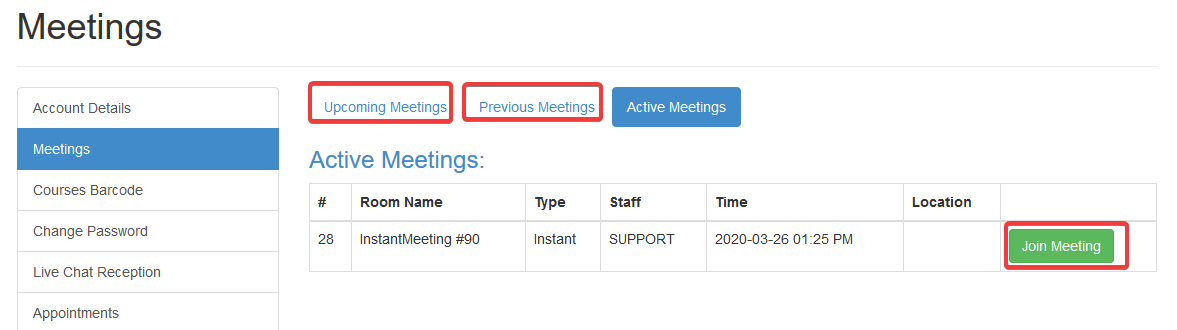
It’s now easier than ever to personalize your online meetings experience with Clinicsoftware.com.
Claim your own personalized invite templates (request via ticket)
Here’s a quick tour of the benefits you get from the video meeting consultation feature. Customise your meeting templates to whatever you want. Brand it to your company, to the meeting subject, or even to match your personality. Setting up your personal templates means that folks joining your meeting get familiar with you and your brand before they have even entered the meeting.
Customize your meeting experience with branded emails and texts
Enable quick adoption with meeting capabilities that make it easy to start, join, and collaborate across any device.
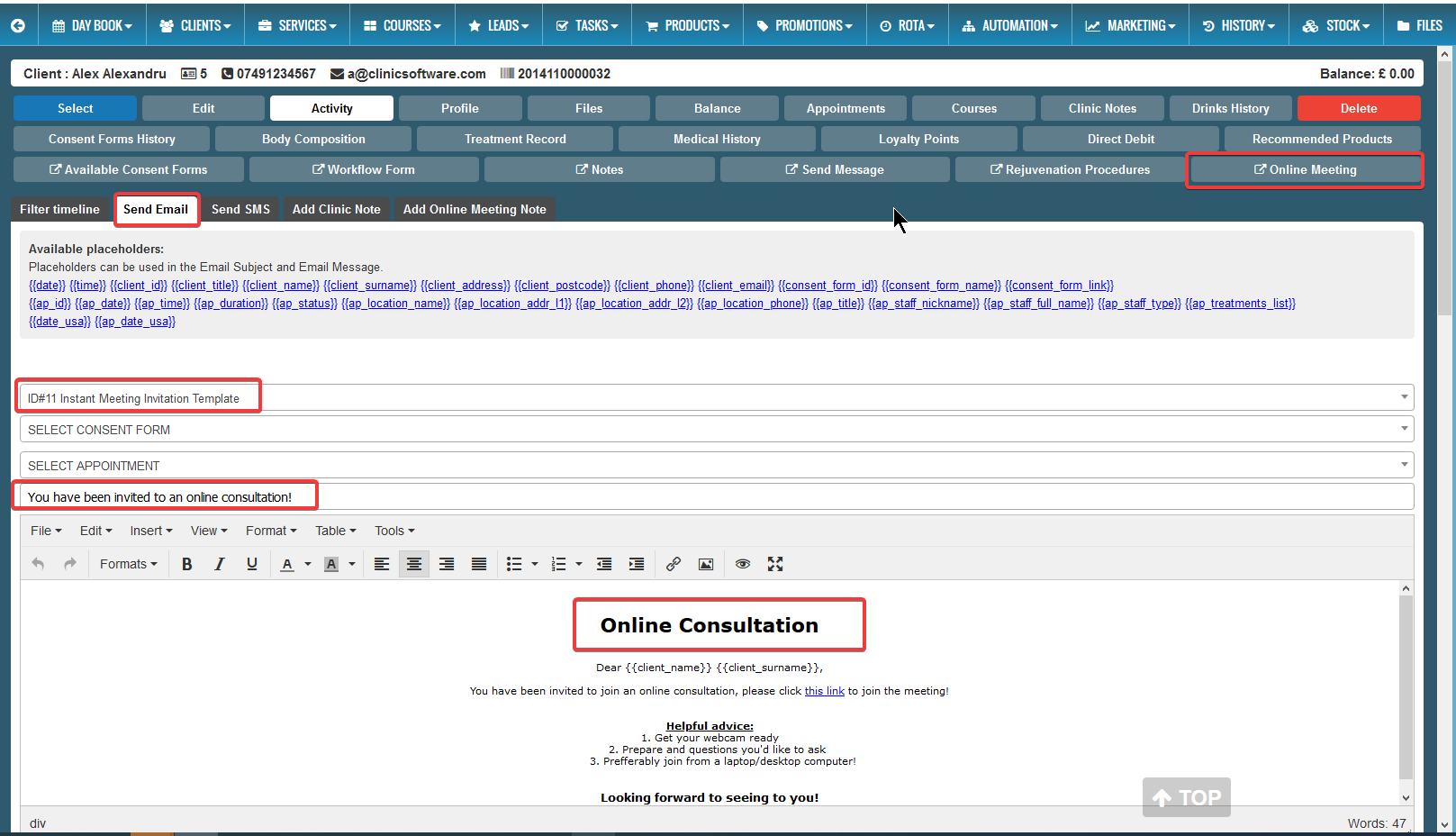
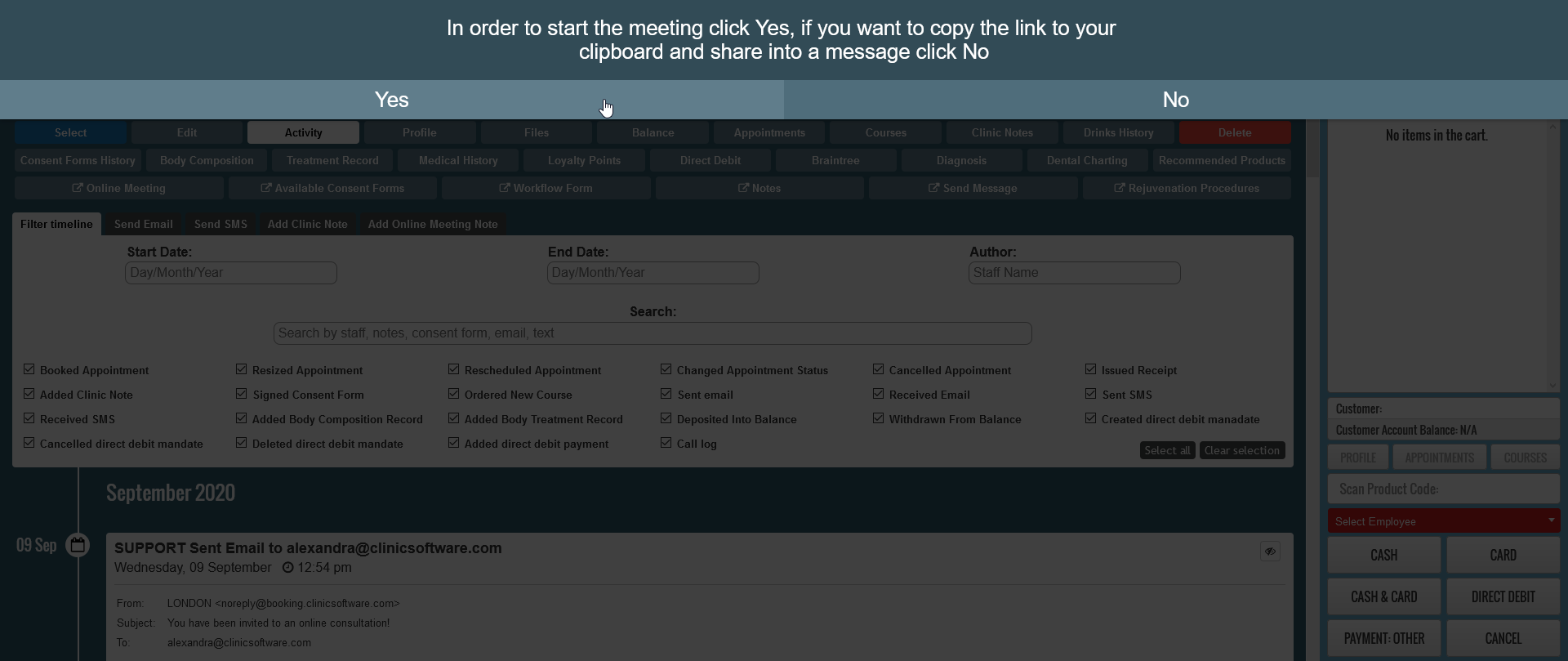
Before the meeting, open the client profile -> Activity -> Send Email -> Select the ‘Instant Meeting Invitation Template -> send the email (use this option if you want to add something in your email) or just simply click on the ‘Online meeting’ button and the system will automatically send the email to your client.
Better free audio experience
Clinicsoftware.com toll-free blends seamlessly with the f feature you rely on every day: audio, recording, scheduling, and remote control. With toll-free, you never have to worry about a customer footing the bill for dialing into your meeting. You get competitive rates with no hidden costs or overage fees. Security is enterprise-class, and you keep 24/7 administrative control over your account. That’s what we call showing be your own boss.
Join anywhere, on any device
The Online Meetings delivers streamlined enterprise-grade video conferencing from desktop and mobile.
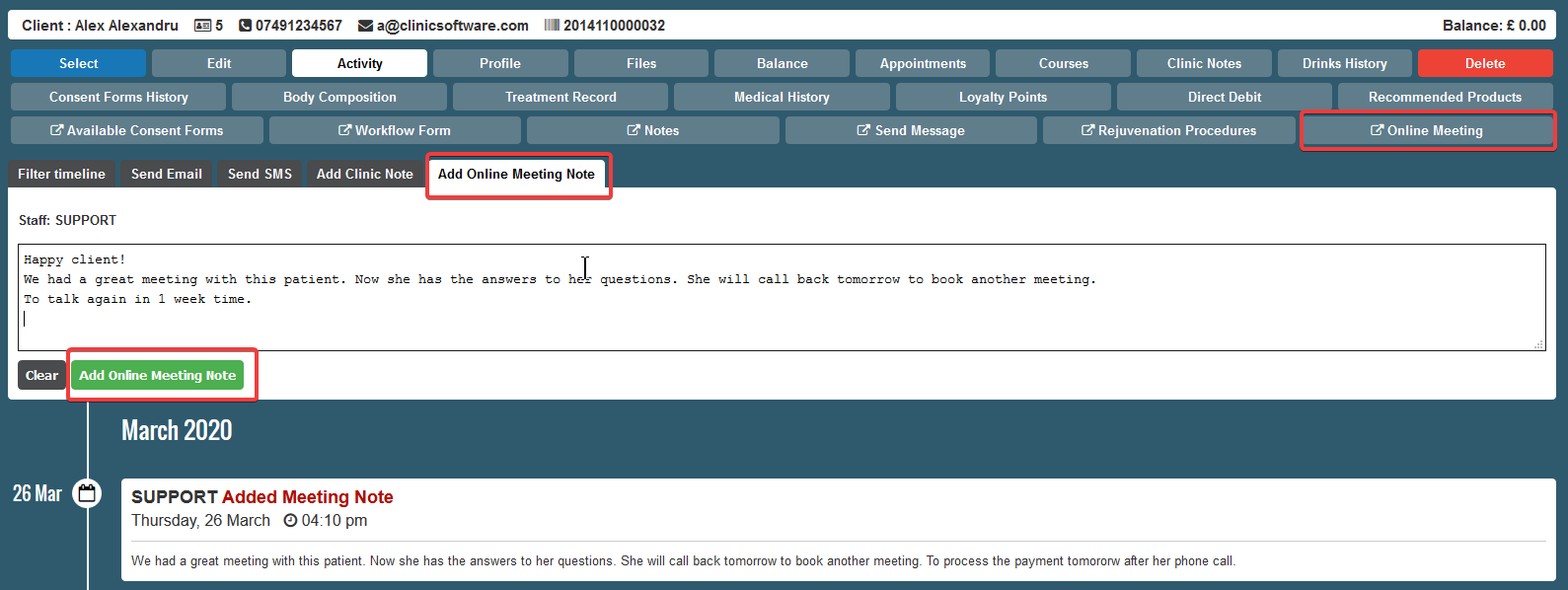
To add notes, click on ‘Add Online Meeting Note’.
Full-featured host controls
Mute/unmute panelists, and promote attendee to panellist, giving them audio and video capabilities for enhanced engagement. Enable internal and external communications, all-hands meetings, and trainings through one communications platform.
One Click Screen Sharing
Getting everyone on the same page is easy when Clinicsoftware.com instant screen sharing is involved. When you start your meeting, simply press the “broadcast” button and you’re ready to go. It’s that simple. And with Clinicsoftware.com’s pass presenter feature, you can engage with your audience at an even deeper level. Collaboration is efficient, easy, and hassle-free – and you don’t have to be in the same room to do it.