
• Home

ClinicSoftware.com Knowledge Base ClinicSoftware.com Knowledge Base

ClinicSoftware.com Knowledge Base

  • HOW IT WORKS
    • Software Features
    • Marketing Features
    • Online Booking
    • Paperless Features
    • Photo And Draw Features
    • Tracking Features
    • Sell Cycle Features
    • Fully Responsive Features
    • Business Reports Features
    • Automated Features
    • Reminders Features
    • Apps Features
    • Multi Location Features
    • Add-Ons
  • WHO IT’S FOR
  • MARKETING
  • MORE
    • Support
    • Find-Us
    • Migrate To ClinicSoftware
    • How We Provide Training
    • Partner With Us
    • Academy
    • Support Chat
    • Blog
    • Editions
    • ClinicSoftware.com TV
    • GDPR
    • ICD-10 Database
    • PCI-DSS Compliant
    • Cloud Hosting
    • Latest UK Shows
    • UK Press
  • Modern Edition
  • CLOSE / RETURN TO SOFTWARE
Home Knowledge Base 3. MAIN INTERFACE 07. PROMOTIONS

07. PROMOTIONS

26th January 2017 Posted in: 3. MAIN INTERFACE Hits: 331


Promotions represent groups of services, products and courses with a discounted price.

Promotions are defined on a location basis.
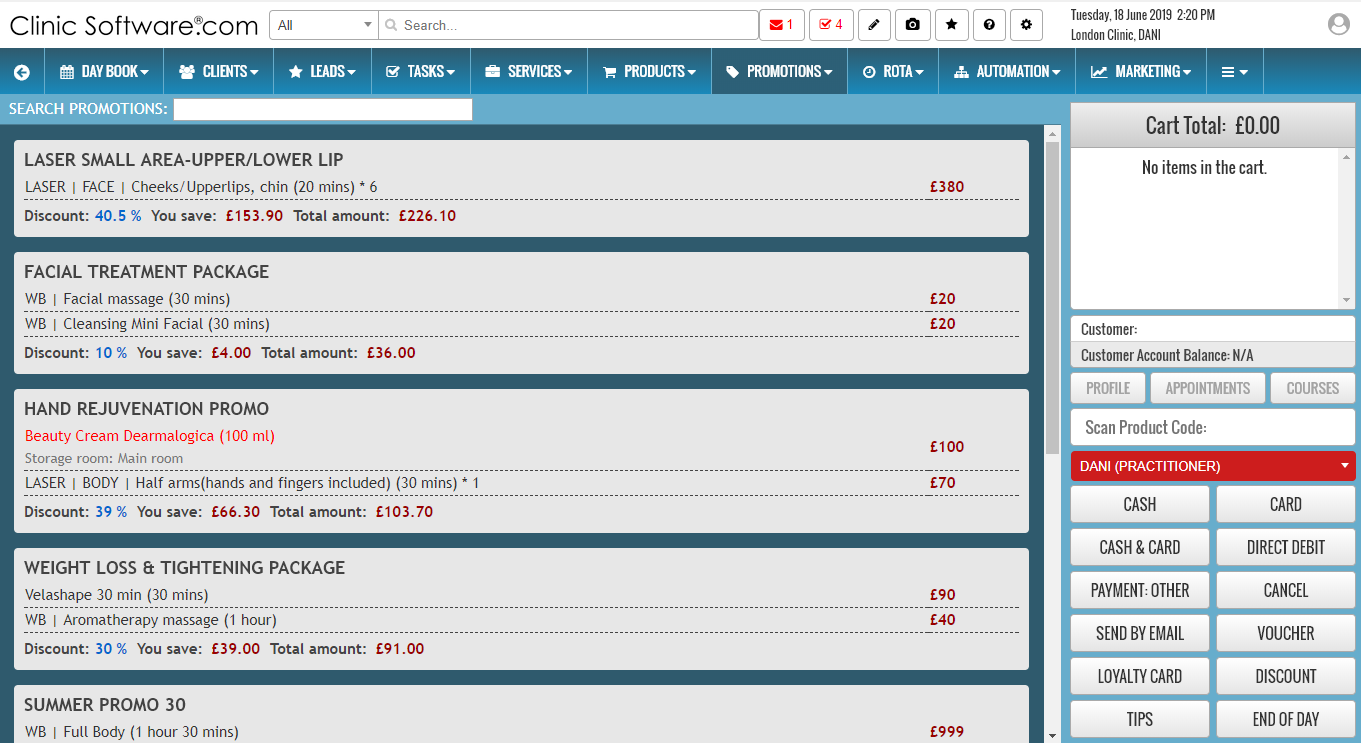
A promotion that contains one or more products out of stock cannot be added to the receipt list.

Products out of stock will be listed in red colour.

A promotion item price discount is not cumulative with other receipt discounts (customer and manual discount).

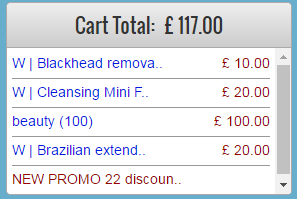
Promotions in the receipt list are listed in blue colour followed by promotion title with the calculated discounted price value listed in red. If an item from a promotion is removed then all other items from that promotion will be removed and added again as normal items.


© 2017 ClinicSoftware.com