• Home

ClinicSoftware.com Knowledge Base ClinicSoftware.com Knowledge Base

ClinicSoftware.com Knowledge Base

  • HOW IT WORKS
    • Software Features
    • Marketing Features
    • Online Booking
    • Paperless Features
    • Photo And Draw Features
    • Tracking Features
    • Sell Cycle Features
    • Fully Responsive Features
    • Business Reports Features
    • Automated Features
    • Reminders Features
    • Apps Features
    • Multi Location Features
    • Add-Ons
  • WHO IT’S FOR
  • MARKETING
  • MORE
    • Support
    • Find-Us
    • Migrate To ClinicSoftware
    • How We Provide Training
    • Partner With Us
    • Academy
    • Support Chat
    • Blog
    • Editions
    • ClinicSoftware.com TV
    • GDPR
    • ICD-10 Database
    • PCI-DSS Compliant
    • Cloud Hosting
    • Latest UK Shows
    • UK Press
  • Modern Edition
  • CLOSE / RETURN TO SOFTWARE
Home Knowledge Base 9.2.1 CLIENTS DELETING A CLIENT ACCOUNT (CLIENT PROFILE)

DELETING A CLIENT ACCOUNT (CLIENT PROFILE)

25th March 2020 Posted in: 9.2.1 CLIENTS Hits: 547

To delete a client account, from the client profile page press the “Delete” button from the top section.

Only the staff with manager rights can perform this operation.

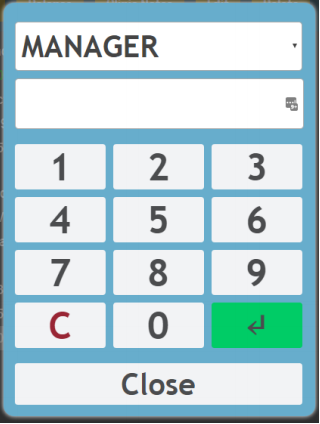
A login window will open asking you to confirm your credentials.
© 2017 ClinicSoftware.com
