
• Home

ClinicSoftware.com Knowledge Base ClinicSoftware.com Knowledge Base

ClinicSoftware.com Knowledge Base

  • HOW IT WORKS
    • Software Features
    • Marketing Features
    • Online Booking
    • Paperless Features
    • Photo And Draw Features
    • Tracking Features
    • Sell Cycle Features
    • Fully Responsive Features
    • Business Reports Features
    • Automated Features
    • Reminders Features
    • Apps Features
    • Multi Location Features
    • Add-Ons
  • WHO IT’S FOR
  • MARKETING
  • MORE
    • Support
    • Find-Us
    • Migrate To ClinicSoftware
    • How We Provide Training
    • Partner With Us
    • Academy
    • Support Chat
    • Blog
    • Editions
    • ClinicSoftware.com TV
    • GDPR
    • ICD-10 Database
    • PCI-DSS Compliant
    • Cloud Hosting
    • Latest UK Shows
    • UK Press
  • Modern Edition
  • CLOSE / RETURN TO SOFTWARE
Home Knowledge Base 8. LEADS 5. STATISTICS

5. STATISTICS

20th June 2019 Posted in: 8. LEADS Hits: 335

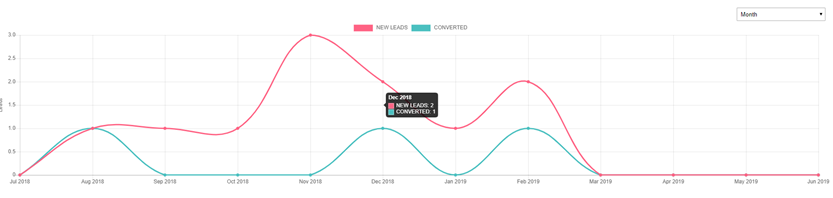
Below the lead table we display a chart indication total number of leads vs converted.
This chart can be shown by Week, Month (default) and Year, to change the source, use the dropdown from the top-right section of the chart.

If you hover the mouse cursor on the chart the system will display the actual numbers of the Week/Month/Year.
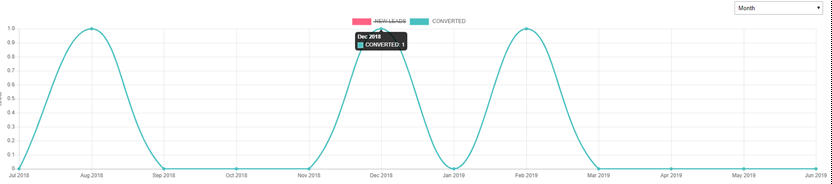
You can also click on the chart header to enable or disable the NEW LEADS and CONVERTED lines.
 

© 2017 ClinicSoftware.com