
• Home

ClinicSoftware.com Knowledge Base ClinicSoftware.com Knowledge Base

ClinicSoftware.com Knowledge Base

  • HOW IT WORKS
    • Software Features
    • Marketing Features
    • Online Booking
    • Paperless Features
    • Photo And Draw Features
    • Tracking Features
    • Sell Cycle Features
    • Fully Responsive Features
    • Business Reports Features
    • Automated Features
    • Reminders Features
    • Apps Features
    • Multi Location Features
    • Add-Ons
  • WHO IT’S FOR
  • MARKETING
  • MORE
    • Support
    • Find-Us
    • Migrate To ClinicSoftware
    • How We Provide Training
    • Partner With Us
    • Academy
    • Support Chat
    • Blog
    • Editions
    • ClinicSoftware.com TV
    • GDPR
    • ICD-10 Database
    • PCI-DSS Compliant
    • Cloud Hosting
    • Latest UK Shows
    • UK Press
  • Modern Edition
  • CLOSE / RETURN TO SOFTWARE
Home Knowledge Base 9.3 ADMIN AREA :: ADMIN AREA INTRODUCTION ::

:: ADMIN AREA INTRODUCTION ::

30th January 2017 Posted in: 9.3 ADMIN AREA Hits: 393

The ADMIN AREA is the section which handles all the administrative task of the software.

The Admin Area can be accessed from the TOP menu by pressing the “cog” button.

Each user of the software is only allowed to access the sections of the Admin Area set up by the ClinicSoftware.com staff. (E.g. only the manager can access the reports section.).

To change the permissions of which staff can access certain sections of the Admin Area, please make a request to the ClinicSoftware.com support department.

Only the sections that the currently logged in user has access to are displayed in the Admin Area.
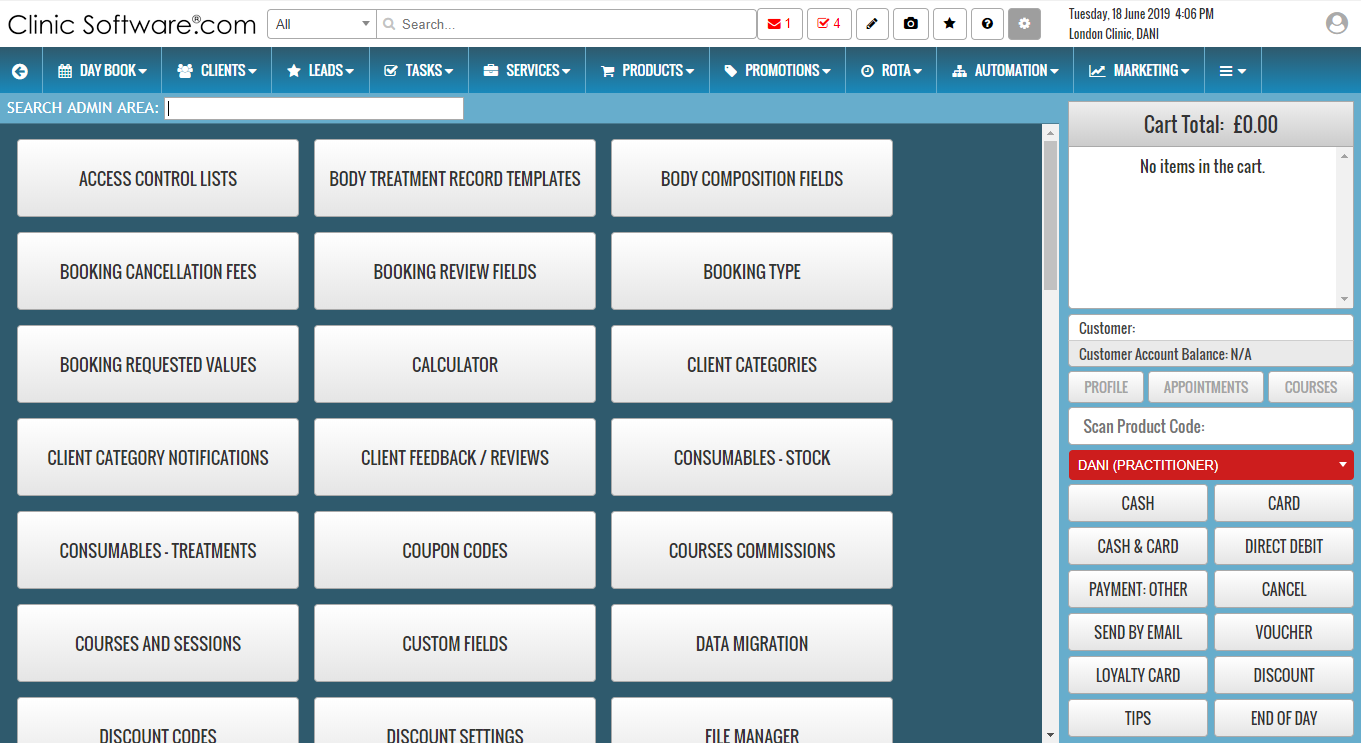
You can find the page you are looking for by using the “SEARCH ADMIN AREA:” field located on top of the page.

By default it is automatically focused so you can type directly the page name upon entering the “Admin Area”.


© 2017 ClinicSoftware.com